Nanda Ganesan of Cal State LA gave a presentation on “Rapid Development of Multimedia Modules” in which he demonstrated not only good presentation technique (I took heed since I am presenting April 20 at Miramar!) but great information on how to quickly create enriching materials.
The goal is simulating the in-class experience as closely as possible. I was gratified to hear Dr. Ganesan refer to PowerPoint with narration as “sleeping aids with no side effects”, since I consider most of them to be the 21st century version of film strips. He did not reject PP entirely, however, and part of his demonstration showed how one could use a webcam to create video inside PP.
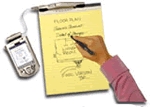 What most impressed me was his use of a “smartpad”. Using Camtasia and an electronic pen (Seiko’s $99 Inklink), Dr G created quick presentation diagrams (his sample was a computer network), explaining as he drew. This gave spontaneity to what was obviously a recorded presentation. In my classes, there are certain lectures where I use a chalkboard (really!), such as my childish (but creepy) sequence on the development of trench warfare in WWI and my diagram of the Iran-Contra scandal connections. These would be quite effective online using this technique, much more so than the still diagrams I use instead.
Throughout the demonstration (and he let the audience choose demonstration rather than presentation — very on-the-fly!), Dr G showed basic setup of big programs like Camtasia, Captivate and Snagit (I would use $69 Snapz on my Mac instead). His point was that only a few settings need be changed to get started and create something FAST. This made getting started look much less daunting for workshop attendees! Plus, the product one creates doing things quickly adds that spontaneity that helps recreate the classroom experience.
So I got a good lesson on how to present a workshop (do what the audience wants), good reasons for creating units on the fly (which I tend to do anyway), and ways to make a “how to” workshop more effective (show just a few key things and make it look easy).

